
Academic makerspaces
Makerspace software for universities
A university makerspace has a problem most facility software was never designed for: the entire user base turns over every year, most of them have never touched the equipment, and the institution is liable for what happens when they do.
What this kind of space actually runs into
Hundreds of new students every semester
Onboarding is not an occasional event, it is the core workload. Safety training runs continuously, prerequisites chain together, and a student who completed the laser course in September needs their access to still be provable in April — without a staff member checking a binder.
Per-seat pricing punishes you for succeeding
Tools priced per user turn every new student into a line item, which quietly pushes programs toward keeping accounts off the system entirely. Student and patron accounts are unlimited on every MakerOps plan, so the record stays complete.
Student staff turn over too
The people running the floor are often students themselves, on shifts, for a few semesters. Anything that depends on institutional memory breaks. Maintenance schedules, task lists, and shift rotas keep the operation running when the person who knew everything graduates.
Procurement will not accept a credit card
Universities buy on a purchase order with an order form, Net-30 invoicing, and a data-privacy review. Billing is built for that path rather than bolted onto a self-serve checkout.
Campus identity is the source of truth
SAML single sign-on with identity sync means accounts, person identifiers, and card numbers follow the institution. Students sign in with campus credentials, and deprovisioning happens where it should.
Someone will ask you to justify the budget
Live dashboards, an audit log of every change, and exportable reporting on utilisation, training completions, and maintenance history — the evidence a department chair or dean actually asks for.
Where to start
The modules that carry the most weight here
Every plan includes the whole platform, but these are the ones this kind of space tends to lean on first.

Training, LMS & Credentialing
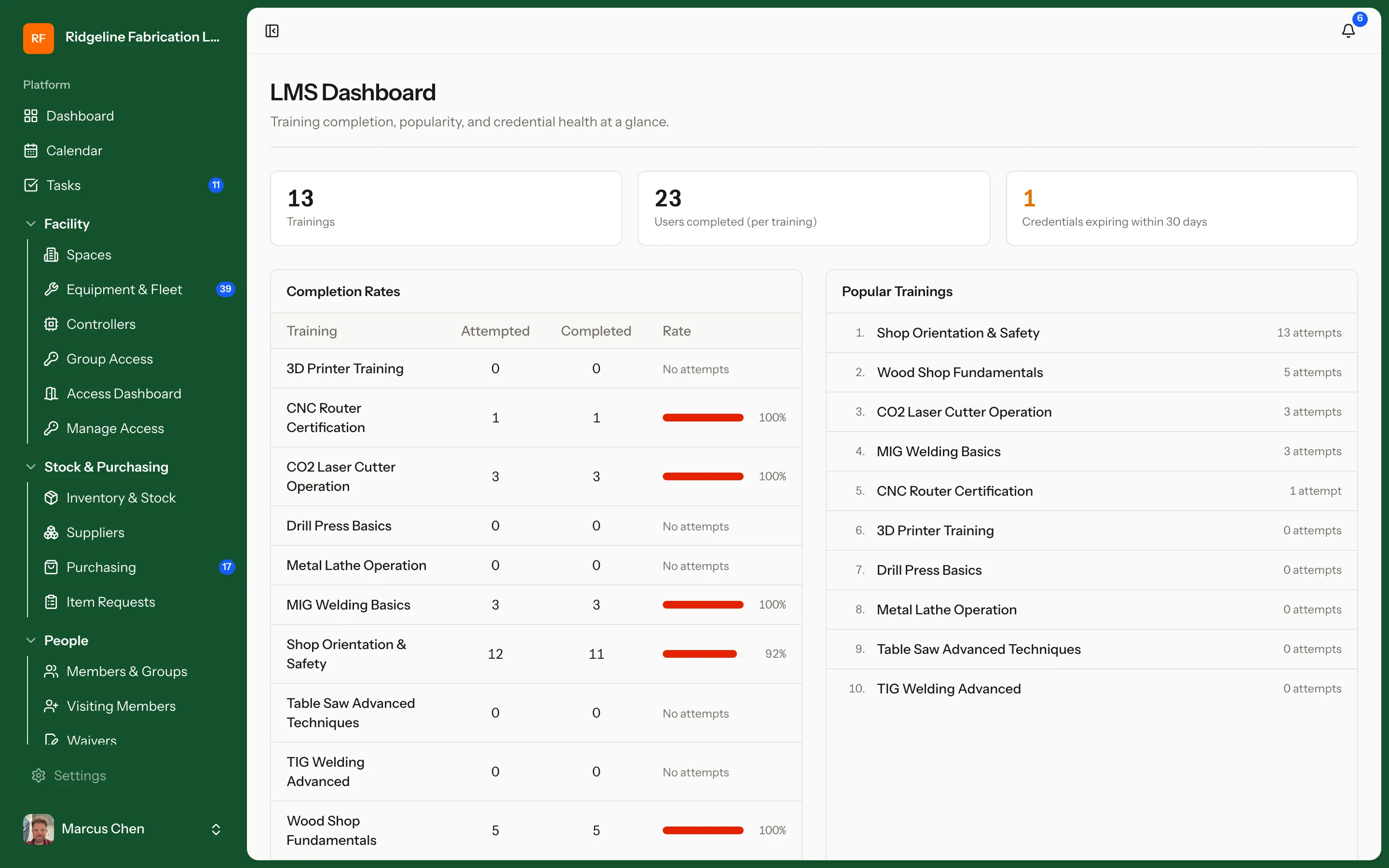
A built-in LMS for safety and equipment training. Build courses in-app with slide, video, and quiz lessons — or import existing SCORM 1.2 content — then chain prerequisites and run in-person sessions with waitlists. Completions roll up into the credentials that unlock machines. Ideal for academic makerspaces running hundreds of students a semester.

Machine Access Control
Connected controllers on the machines themselves. Members check in with a session QR code right at the machine, staff can enable or disable any machine remotely, and instructors can open a bank of equipment for a class. Controllers report their health live and take firmware updates over the air — and if the network drops, the machine fails safe.

User Management & Access Control
Roles and permissions for members, students, staff, and technicians. Equipment access follows credentials automatically — pass the training, get the machine; let a certification lapse, and access pauses with it.

Reporting & Dashboards
Live dashboards for daily operations: open tasks, maintenance coming due, the purchasing queue, and who is in the building right now. An audit log keeps a record of every change, and event signups export to CSV when you need the list.
Built alongside an academic makerspace
MakerOps is developed with a university makerspace as the pilot site, which is why the credentialing chain, the student-worker shift rota, and the purchase-order billing path exist at all. The roadmap comes from running the thing, not from a competitive feature matrix.
Run your space on process, not memory
Start free in minutes, or book a 30-minute walkthrough with real equipment, training flows, and reports — tuned to how your space actually operates.