
Hardware
Training in. Power out.
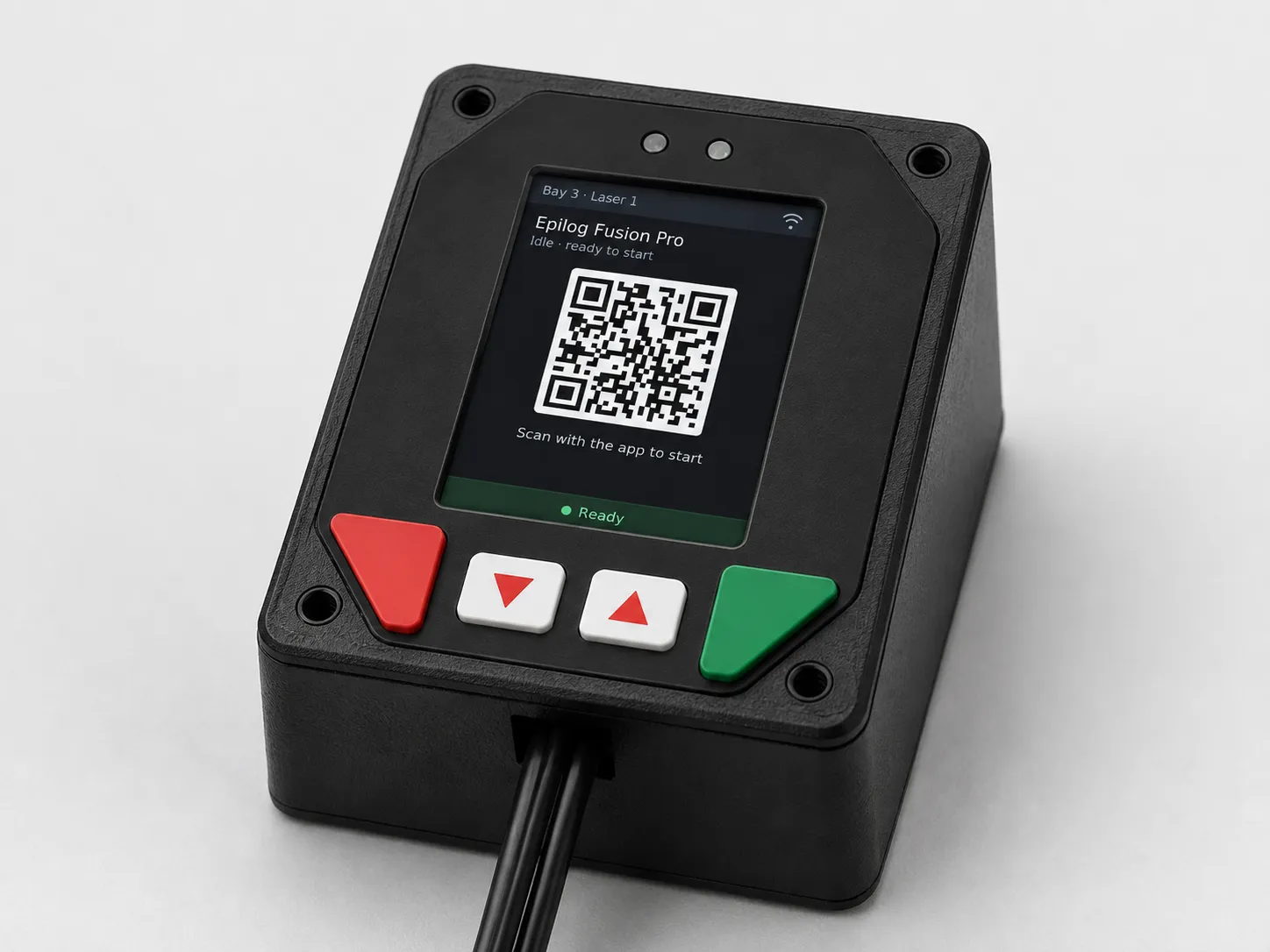
The MakerOps controller mounts at the machine and makes the access decision your paperwork already made: members scan a session QR with the app, the platform checks credentials and waivers in real time, and the relay does the rest. No fobs to manage, no interlock keys to lose, no list taped to the wall.
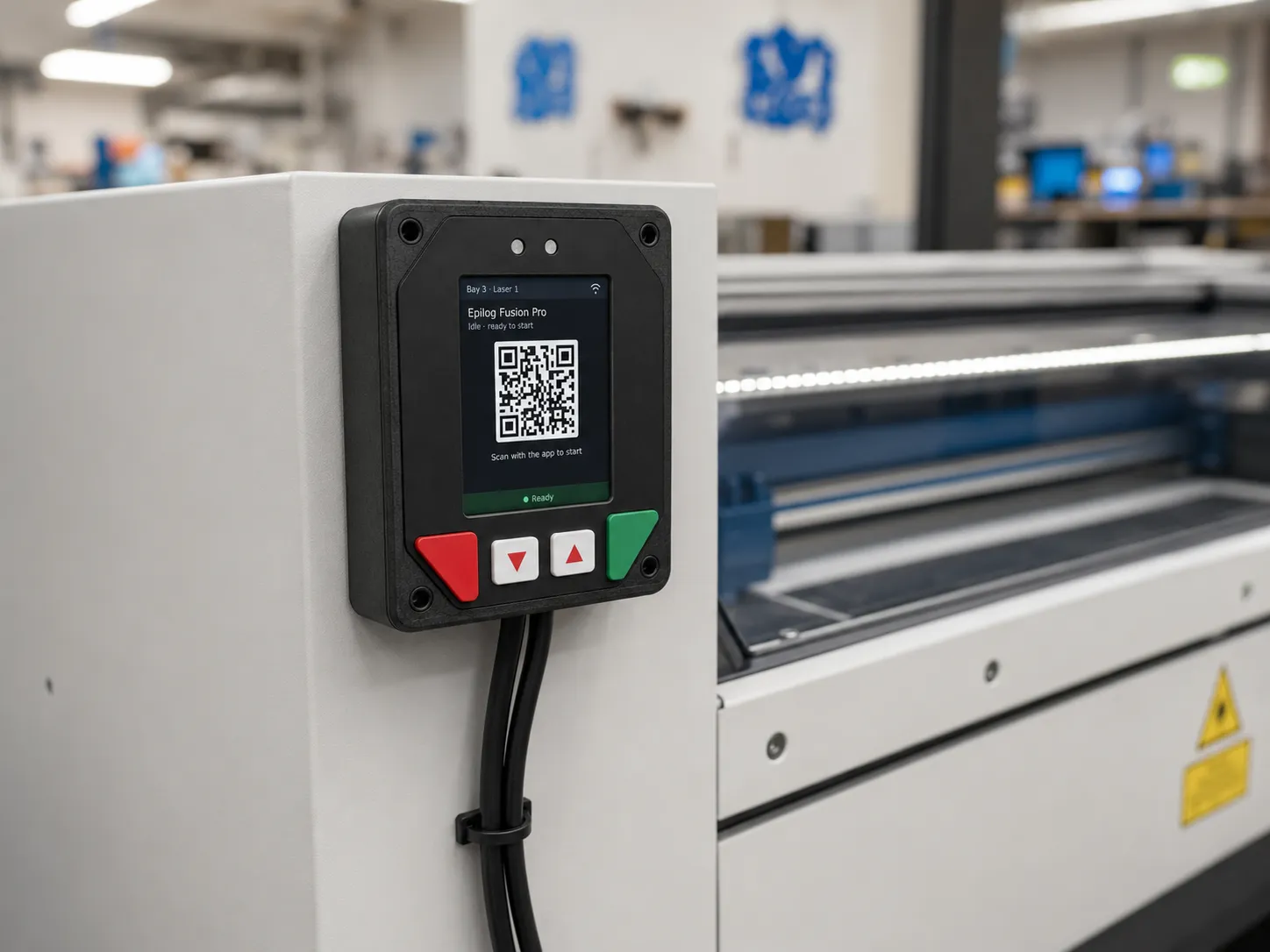
- color display
- 2.0″
- color display
- motor-rated relay
- AC-3
- motor-rated relay
- firmware updates
- OTA
- firmware updates
How a session works
From walk-up to spinning in seconds
- 1
Walk up
The controller mounts at the machine and shows a rotating session QR on its built-in display.
- 2
Scan with the app
The member scans the code with the MakerOps app — no fobs to issue, no PIN pads to share.
- 3
The platform decides
Credentials, waivers, and membership status are checked in real time against the same records your trainers maintain. Not trained yet? The app says exactly which training is missing.
- 4
Power follows the answer
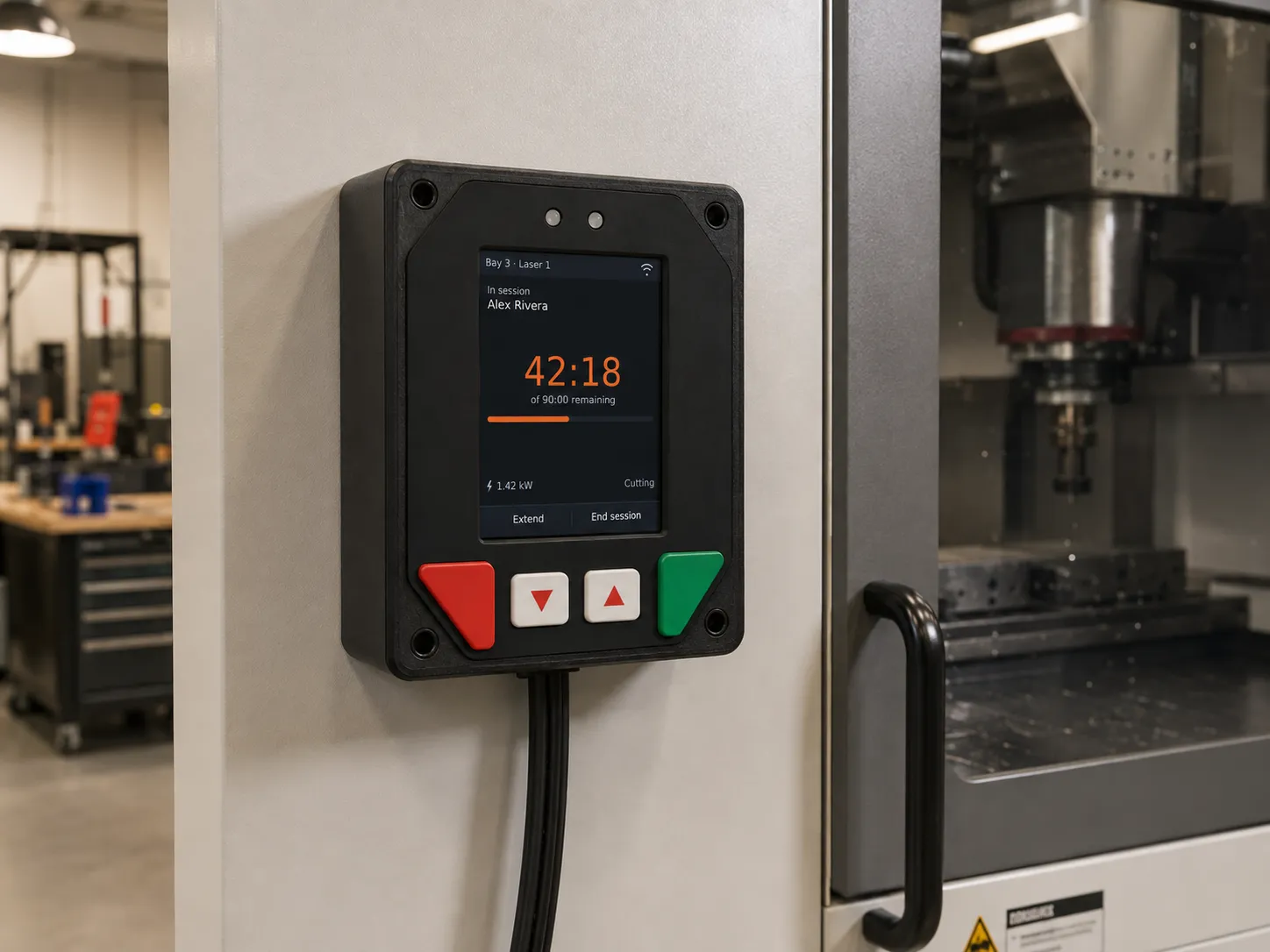
The relay closes and the session starts, with the member’s name on the display. When the session ends — timer, checkout, or staff action — power follows.
Built for how shops actually run
Credential-gated power
Each machine lists the credentials required to run it. Pass the training, the credential lands, the machine turns on — one chain from LMS to relay, nothing re-entered.
Session timers that fit shop reality
Optional default and maximum session lengths per machine. The device warns with a beep at 60 and 30 seconds, then either cuts power or just keeps warning — your choice per machine. Members can self-extend from the app or the front panel, up to the cap.
Class & open-shop windows
An instructor can open a bank of equipment for a scheduled class, and staff can enable or disable any machine remotely — one tap from the office when something needs to stop.
Fails safe, works offline
If the network drops, the machine fails to a safe state — and members with the app can still start sessions over Bluetooth using short-lived, device-verified tokens issued while they were online. A Wi-Fi blip never strands a class.
Fleet health at a glance
Every controller reports its signal strength, firmware version, and last-seen time. Firmware updates roll out over the air from the admin console — staged, monitored, no ladder and no USB cable.
A real audit trail
Every session start, denial, extension, and power event is recorded with who, which machine, and when — the record you want after an incident, and the usage data you want at budget time.
Two ways to wire it
From benchtop printers to three-phase iron
Plug-through mains control
For benchtop and mid-size equipment: the machine’s cord plugs into the controller, and the motor-rated internal relay switches the mains directly. Install is “plug it in”.
Interlock / contactor control
For big iron: the dry-contact relay wires into the machine’s existing interlock or e-stop loop, or drives an external contactor — the controller decides, your electrician’s wiring does the switching.
Specifications
Under the panel
- Processor
- ESP32, purpose-built embedded firmware
- Display
- 2.8″ daylight readable LCD, 240 × 320 — session QR, member name, timers, and status
- Front panel
- Membrane-switch panel (IP54) for extend / end-session actions
- Connectivity
- Wi-Fi, including WPA2-Enterprise for campus networks (plus PSK/MPSK).
- Mains switching
- Motor-rated (AC-3) DPDT relay, internally fused, 240 V split-phase capable — machine plugs in through the controller. 120 VAC up to 15 AMP, 240V up to 15 Amp resistive, 13 Amp motor. AC cpontrol of a external contactor for heavy equipment
- Interlock switching
- Two dry-contact signal relays to control machine interlocks or e-stop loop.
- State sensing
- Sense 12V-24V machine and sensor output signals for safety and enable logic
- Security
- TLS-encrypted connection to your workspace’s message broker; per-device identity; signed short-lived tokens for offline Bluetooth unlock
- Updates
- Over-the-air firmware, released and staged from the platform’s admin console
In development
RoadmapThe same decision engine, on your doors and turnstiles
Machine access is credential-gated contact closure — and so is a door strike, a mag lock, or a turnstile head. We’re extending the controller family to standard contact-closure access control, so facility entry runs on the same credentials, the same approved lists, and the same audit trail as the equipment inside.
Doors & turnstiles
The same dry-contact output driving a strike, mag lock, or turnstile head — entry gated by the same credentials, waivers, and membership status as the machines.
Campus card ready
Approved-entry lists are built from card numbers already synced from your identity system — the card students carry is the card that opens the door.
One audit trail
Door scans land in the same access log as machine sessions, so “who was in the shop” and “who ran the saw” are one query, not two systems.
Planning an access-control project? Tell us about it — early conversations shape what ships first.
Simple, two-part pricing
The controller is $249 per device, one-time — you own the hardware. Every MakerOps plan then includes usage for a number of devices (3 on Starter, 10 on Studio, 25 on Campus): connectivity, monitoring, and over-the-air updates. Usage beyond the included count is a flat $60 per device per year. No per-scan fees, no per-user hardware licensing.
See plans & device pricingPut your training records in charge of the power switch
Book a walkthrough and we’ll wire the story end to end: a training, the credential it grants, and the machine that turns on because of it.