Skip to content
MakerOps

The platform

Everything a working space needs, in one system

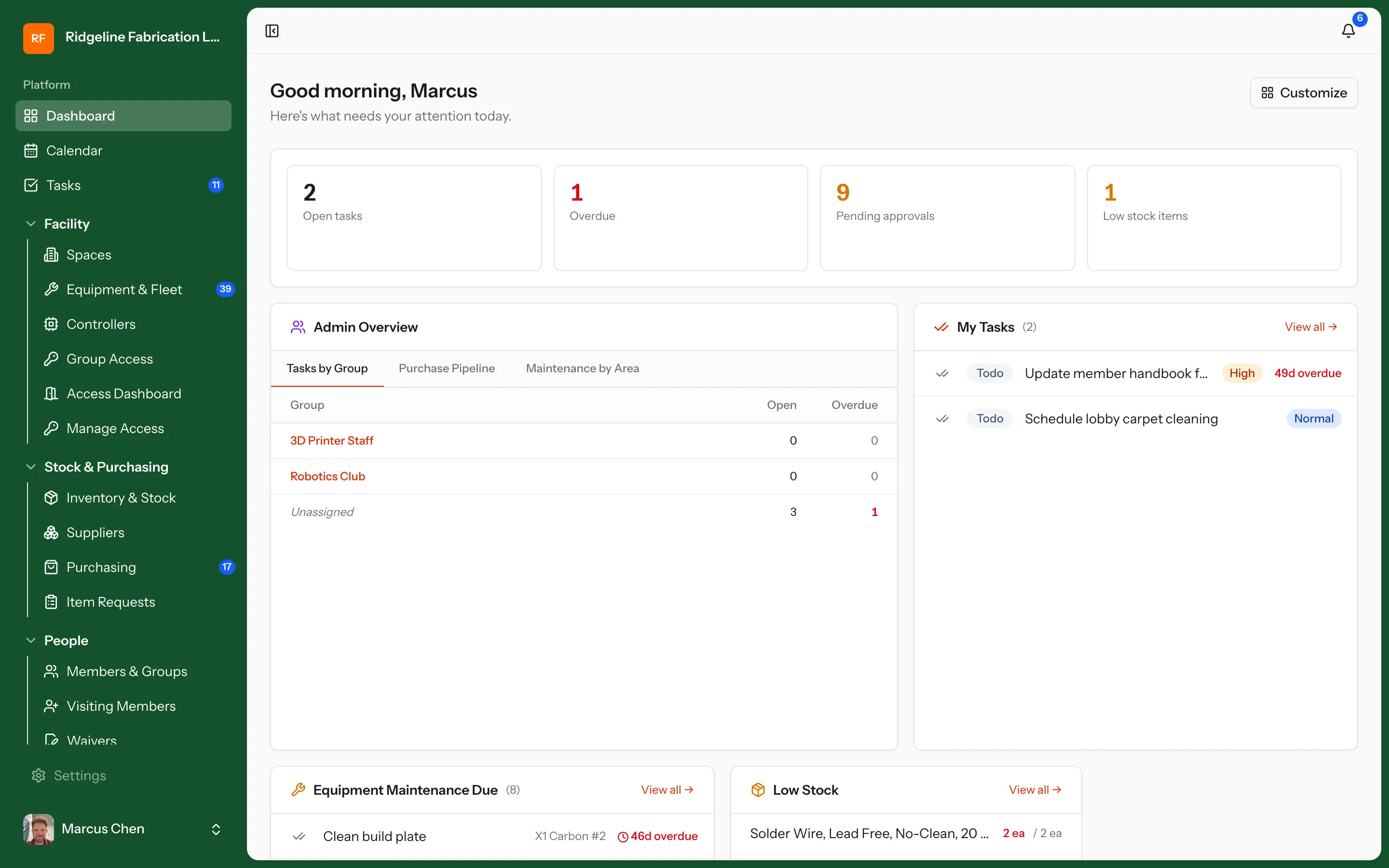
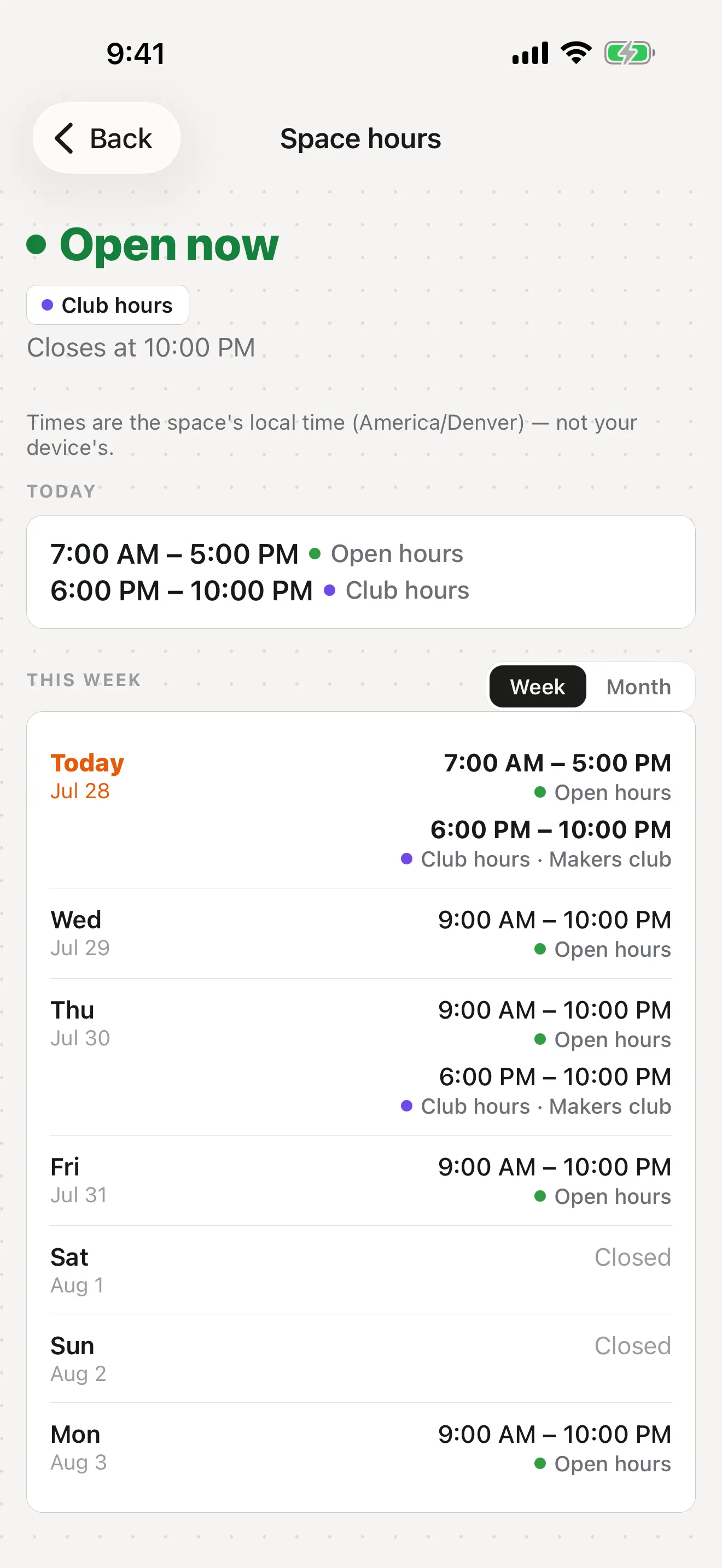
Thirteen modules that already know about each other. Every screenshot below is the real product running a seeded demo workspace — desktop and phone, no mockups.

modules, one login
12 modules, one login
apps — desktop and mobile
2 apps — desktop and mobile
REST endpoints, documented
100+ REST endpoints, documented
per-seat fees for students
0 per-seat fees for students

Chapter one

Who is allowed to touch it

Training, credentials, and machine access are one chain rather than three disconnected systems. Pass the course, the credential lands, the machine turns on.

From first lesson to badge-in

Training, LMS & Credentialing

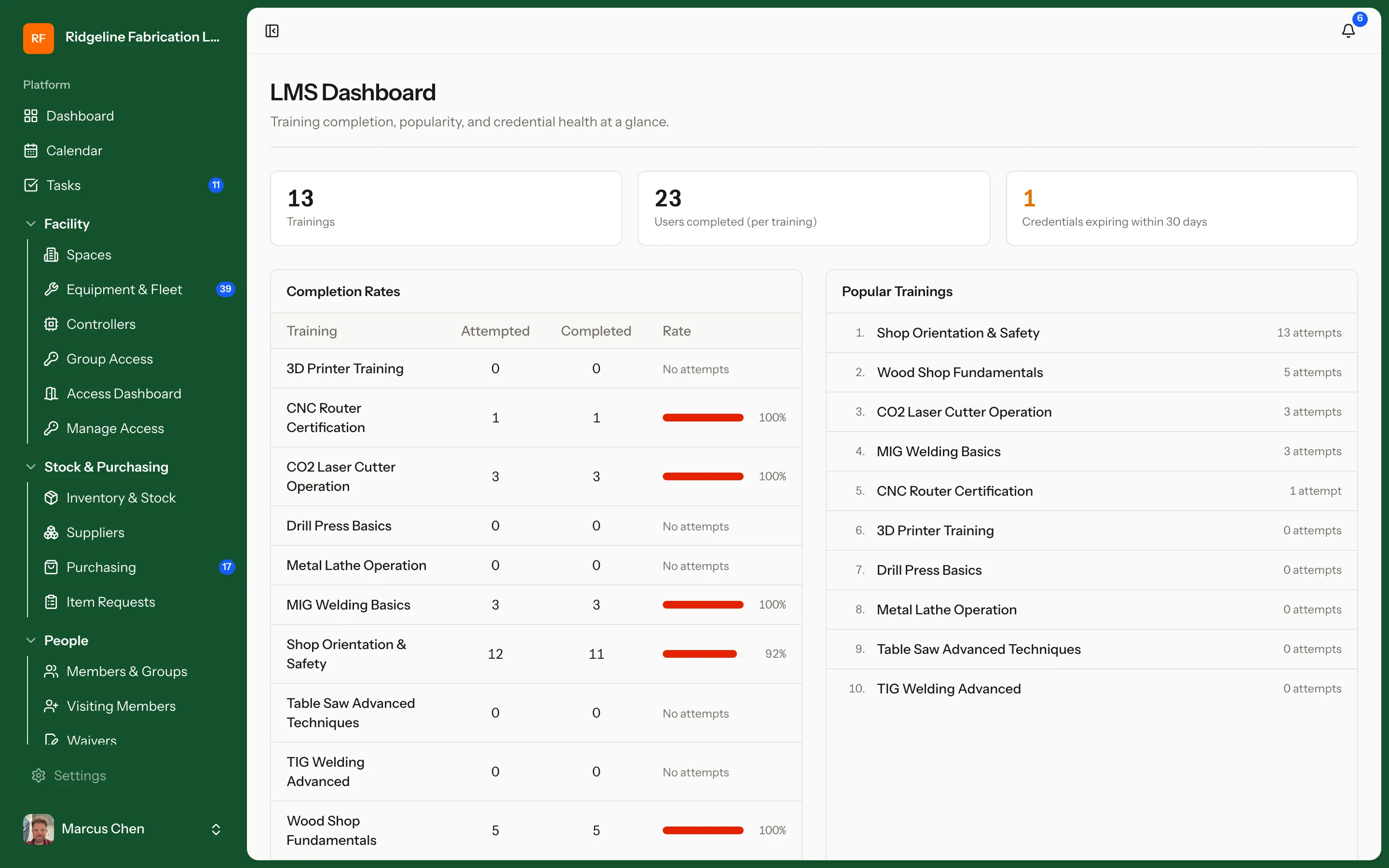
A built-in LMS for safety and equipment training. Build courses in-app with slide, video, and quiz lessons — or import existing SCORM 1.2 content — then chain prerequisites and run in-person sessions with waitlists. Completions roll up into the credentials that unlock machines. Ideal for academic makerspaces running hundreds of students a semester.

  • Native course builder — slide, video, and quiz lessons — plus SCORM 1.2 import
  • Prerequisites (all-of or any-of) and in-person sessions with waitlists
  • Credentials that unlock equipment, with expiration and recertification tracking
demo.makerops.ai
Training, LMS & Credentialing in MakerOps

The right people on the right machines

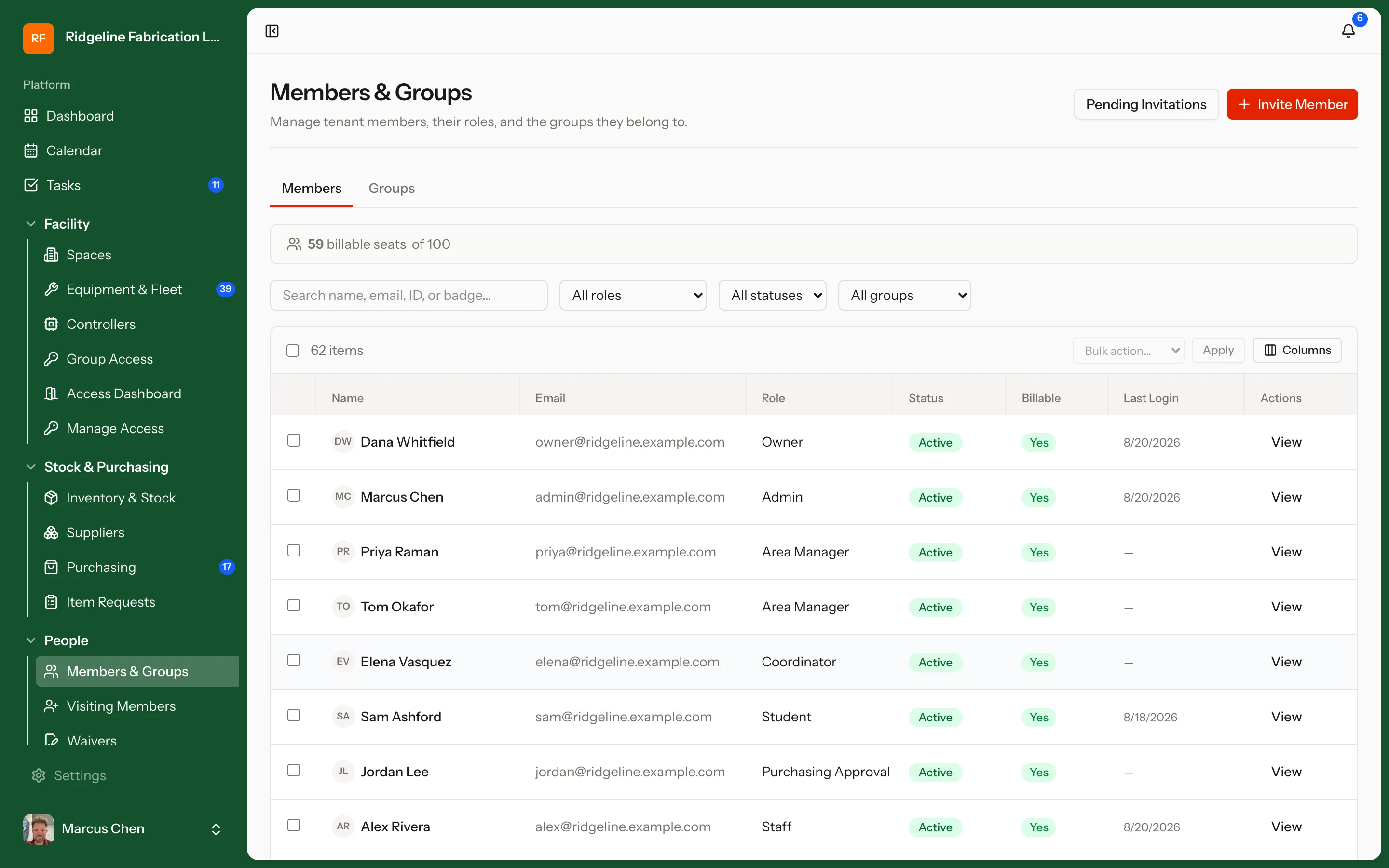
User Management & Access Control

Roles and permissions for members, students, staff, and technicians. Equipment access follows credentials automatically — pass the training, get the machine; let a certification lapse, and access pauses with it.

  • Role-based permissions for staff and members
  • Equipment access gated by earned credentials
  • Memberships, credentials, and expirations on one member record
demo.makerops.ai
User Management & Access Control in MakerOps

The credential is the key

Machine Access Control

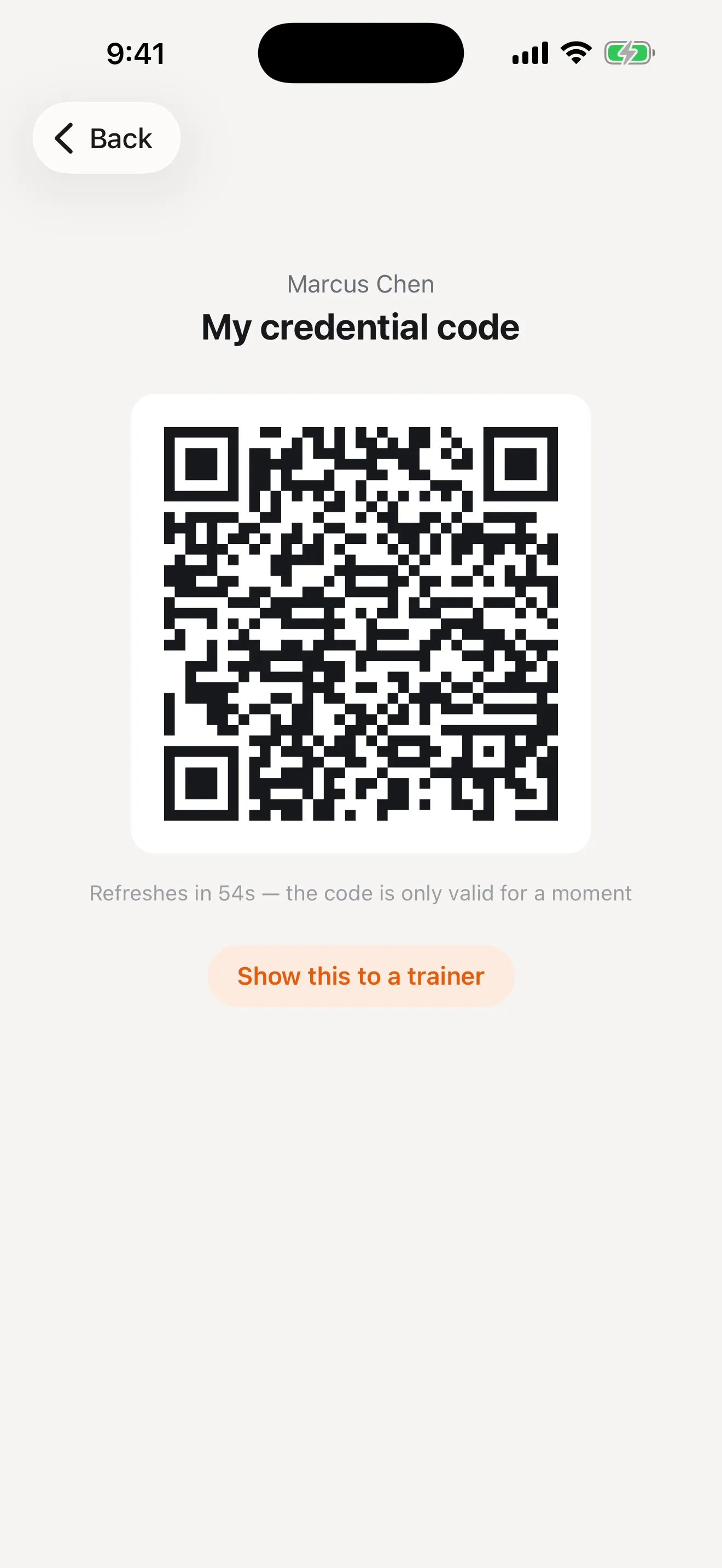
Connected controllers on the machines themselves. Members check in with a session QR code right at the machine, staff can enable or disable any machine remotely, and instructors can open a bank of equipment for a class. Controllers report their health live and take firmware updates over the air — and if the network drops, the machine fails safe.

  • Session QR check-in at the machine
  • Remote enable / disable, plus instructor open-access windows for classes
  • Live controller health, over-the-air firmware updates, offline failsafe
Machine Access Control on iPhone

iOS & Android

The same system, in everyone's pocket

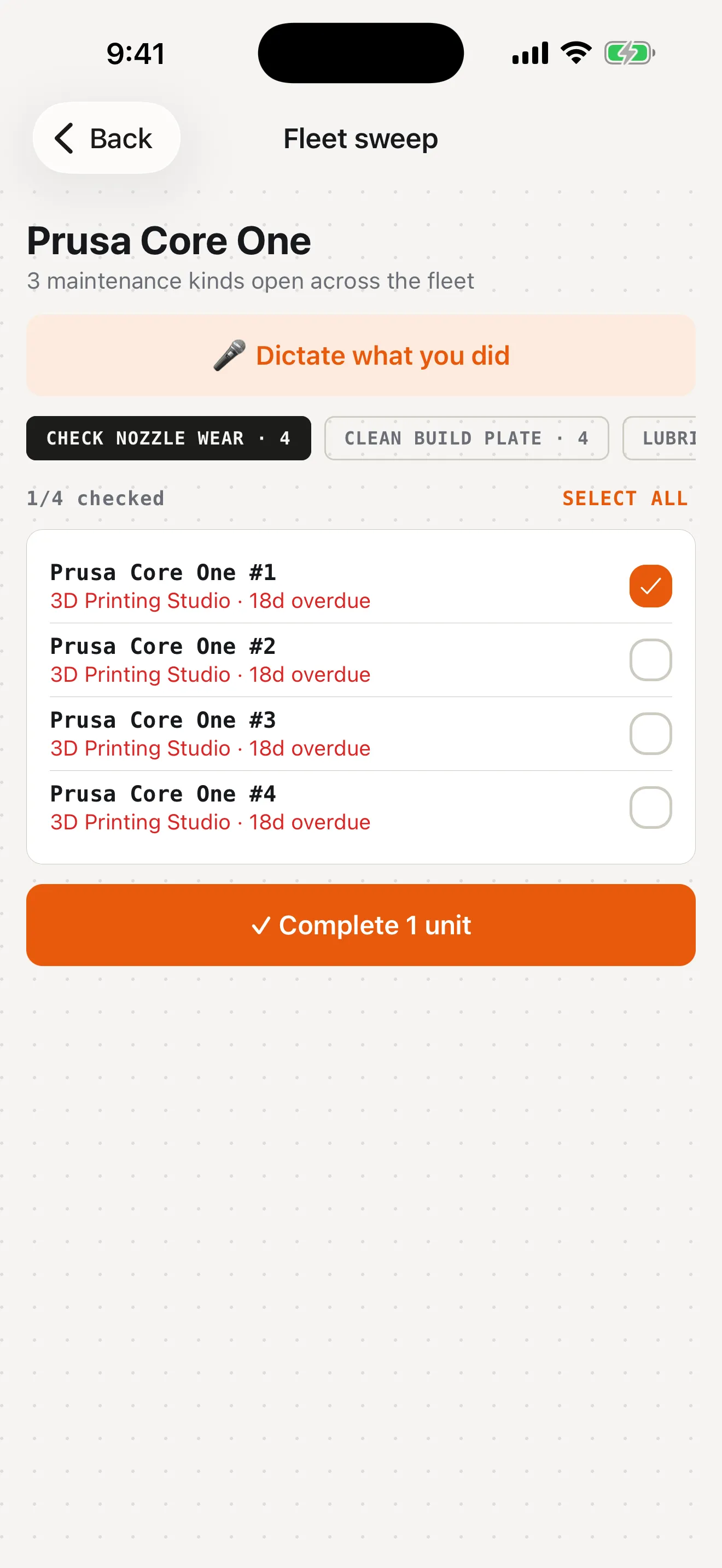
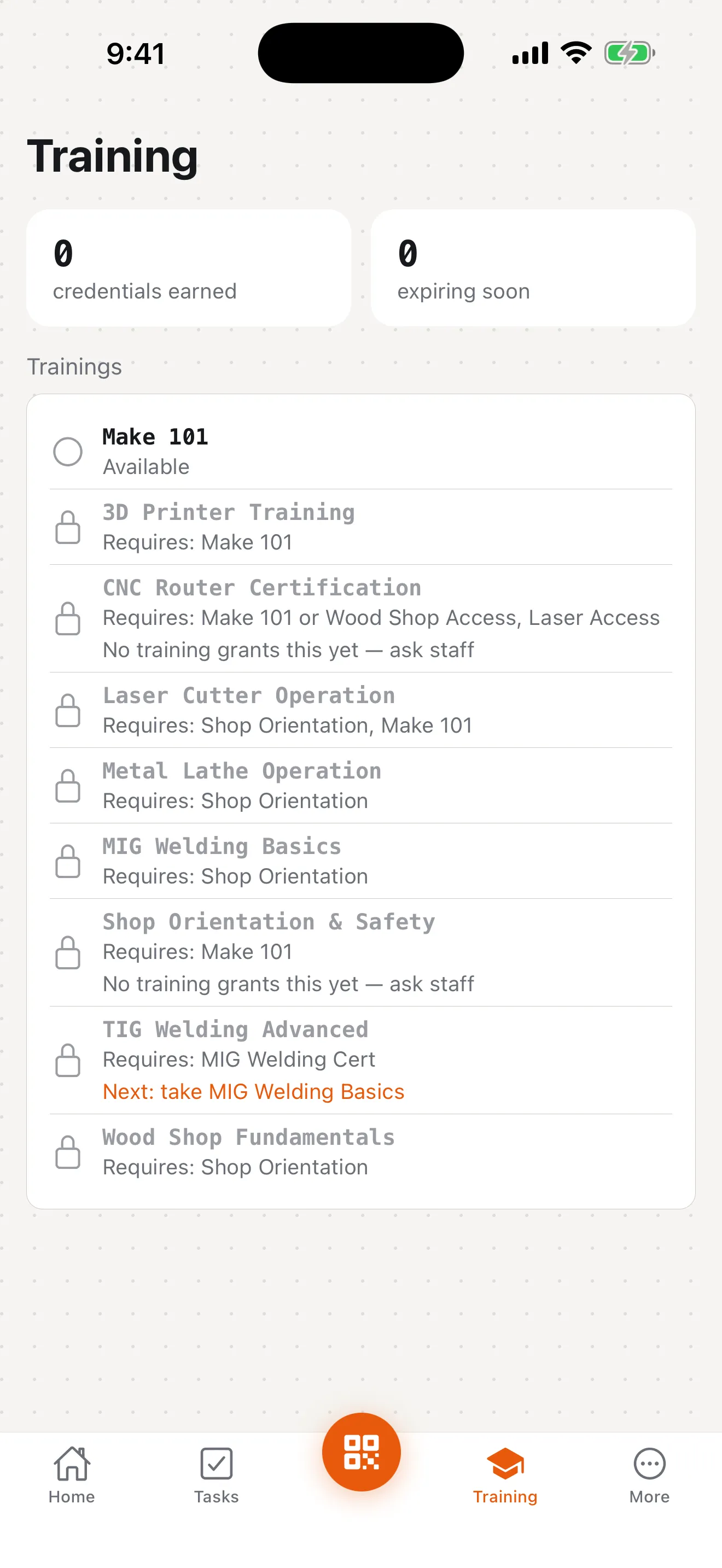
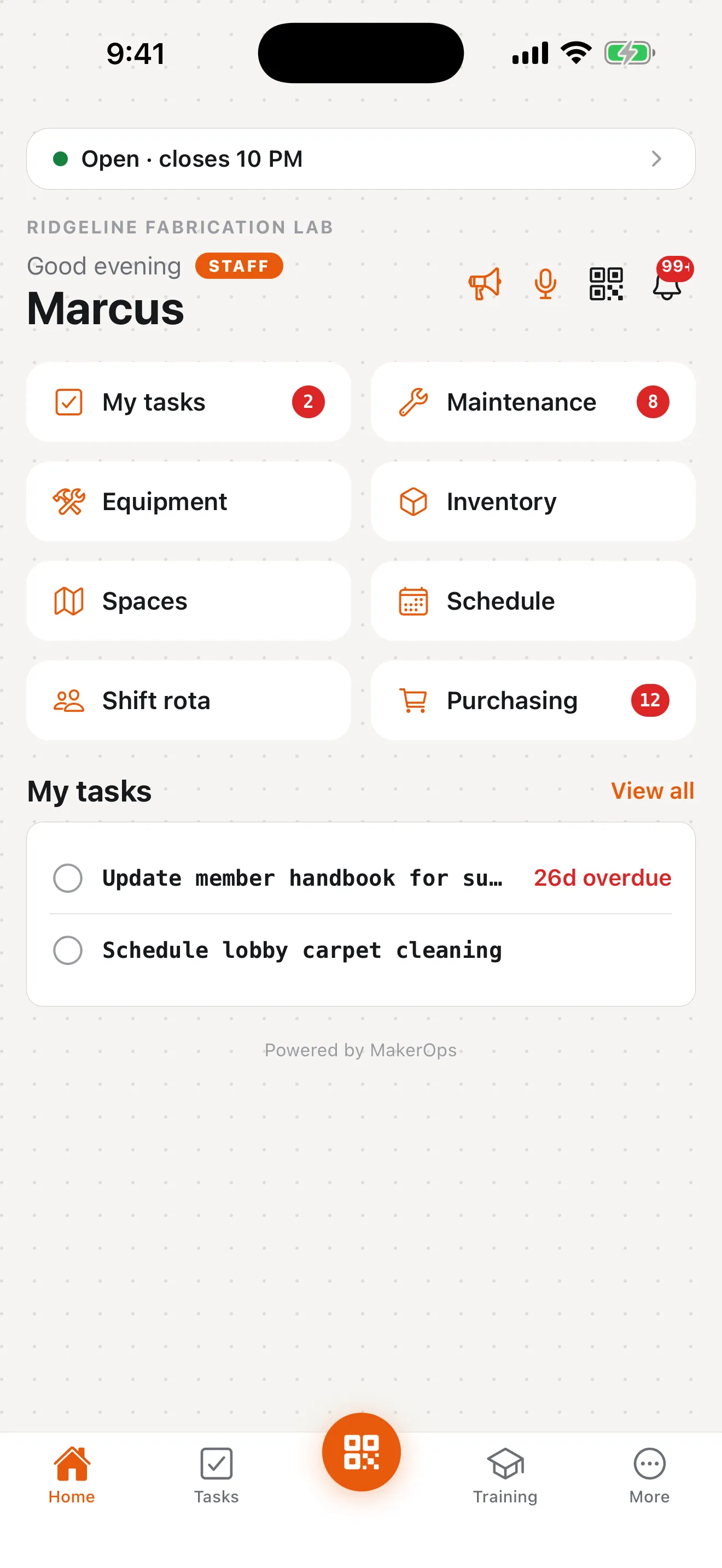
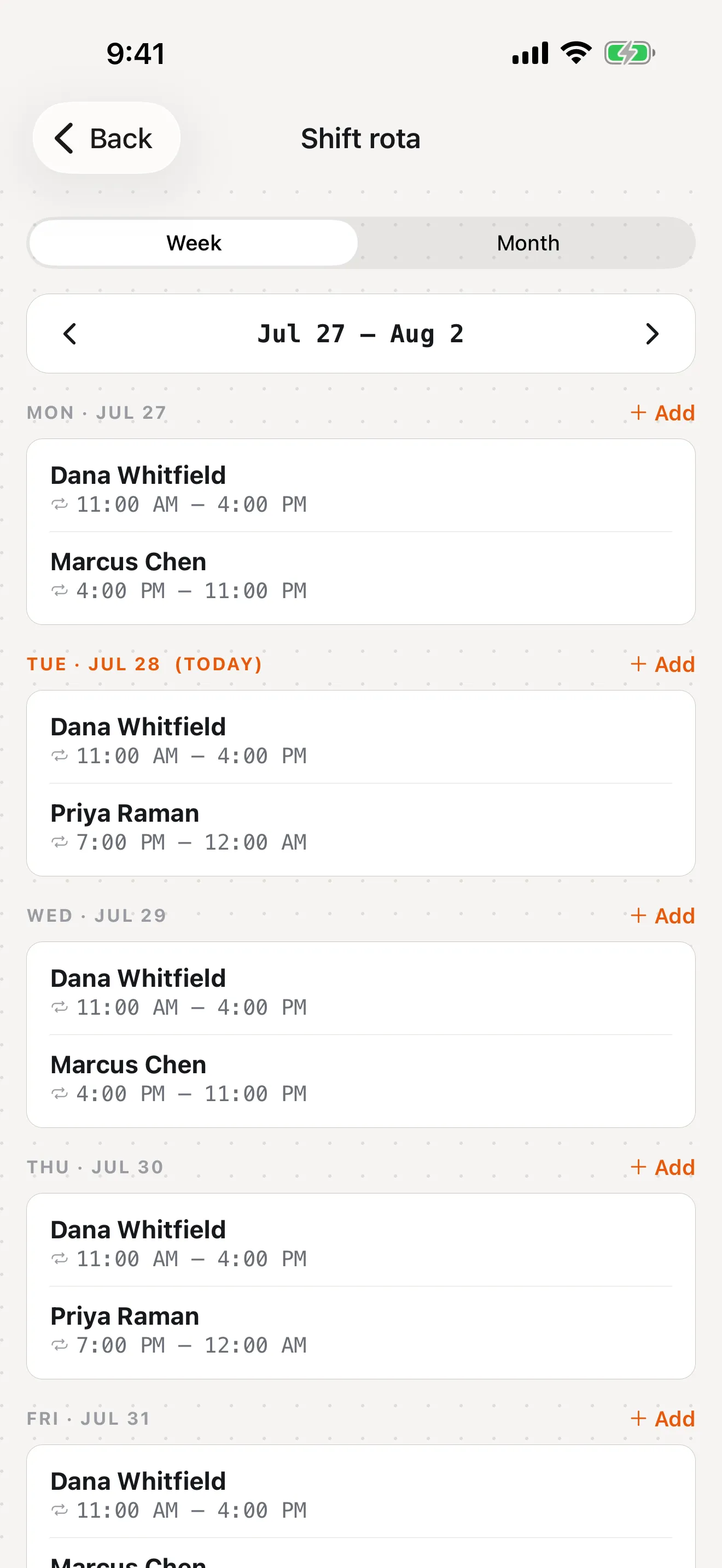
The companion app is not a cut-down viewer. Staff run maintenance sweeps, approve purchases, and manage the rota from the floor; members badge in, take training, and check what is open — from the same app, with the interface each of them actually needs.

Staff & technicians

Fleet maintenance sweeps, dictated service logs, purchasing approvals, shift rota and swaps, task lists.

Members & students

Rotating credential QR, machine check-in, training and prerequisites, open hours, event signups.

Included in every plan — no separate mobile licence.

MakerOps home screen on iPhone showing tasks, maintenance, and purchasing counts

Chapter two

How the work moves

Bookings, shifts, approvals, and purchasing — the day-to-day traffic of running a space, with a record of who decided what.

Appointments, queues, and shifts in one place

Scheduling

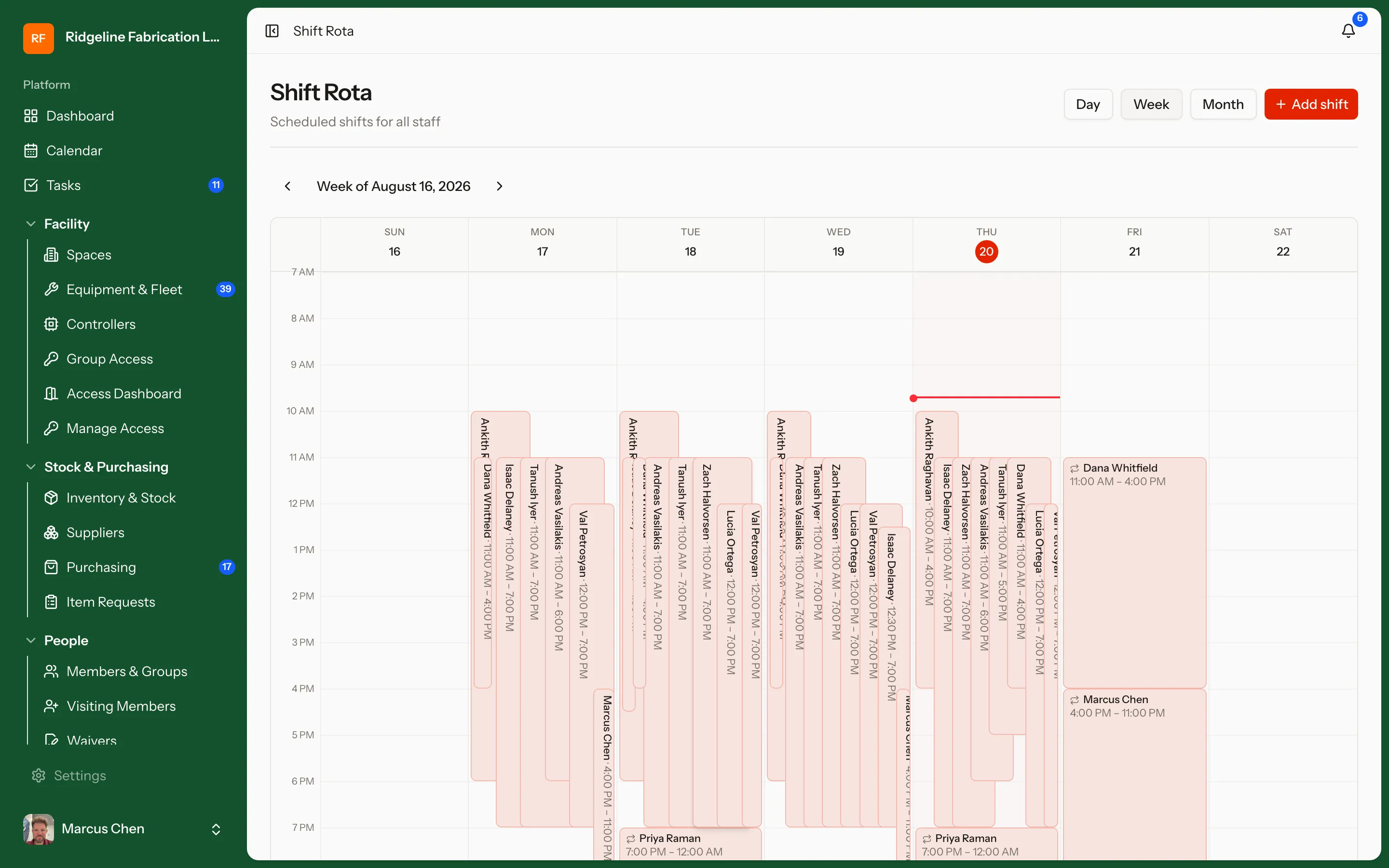
Book time with the people who run the floor. Members request training or assisted machine time, requests land in a queue staff actually work through, and the staff schedule itself lives right alongside — with drag-and-drop shift planning and swaps.

  • Bookable staff appointments driven by real availability
  • Equipment appointment queue for training and assisted-use requests
  • Staff shift rota with drag scheduling and shift swap / claim
demo.makerops.ai
Scheduling in MakerOps
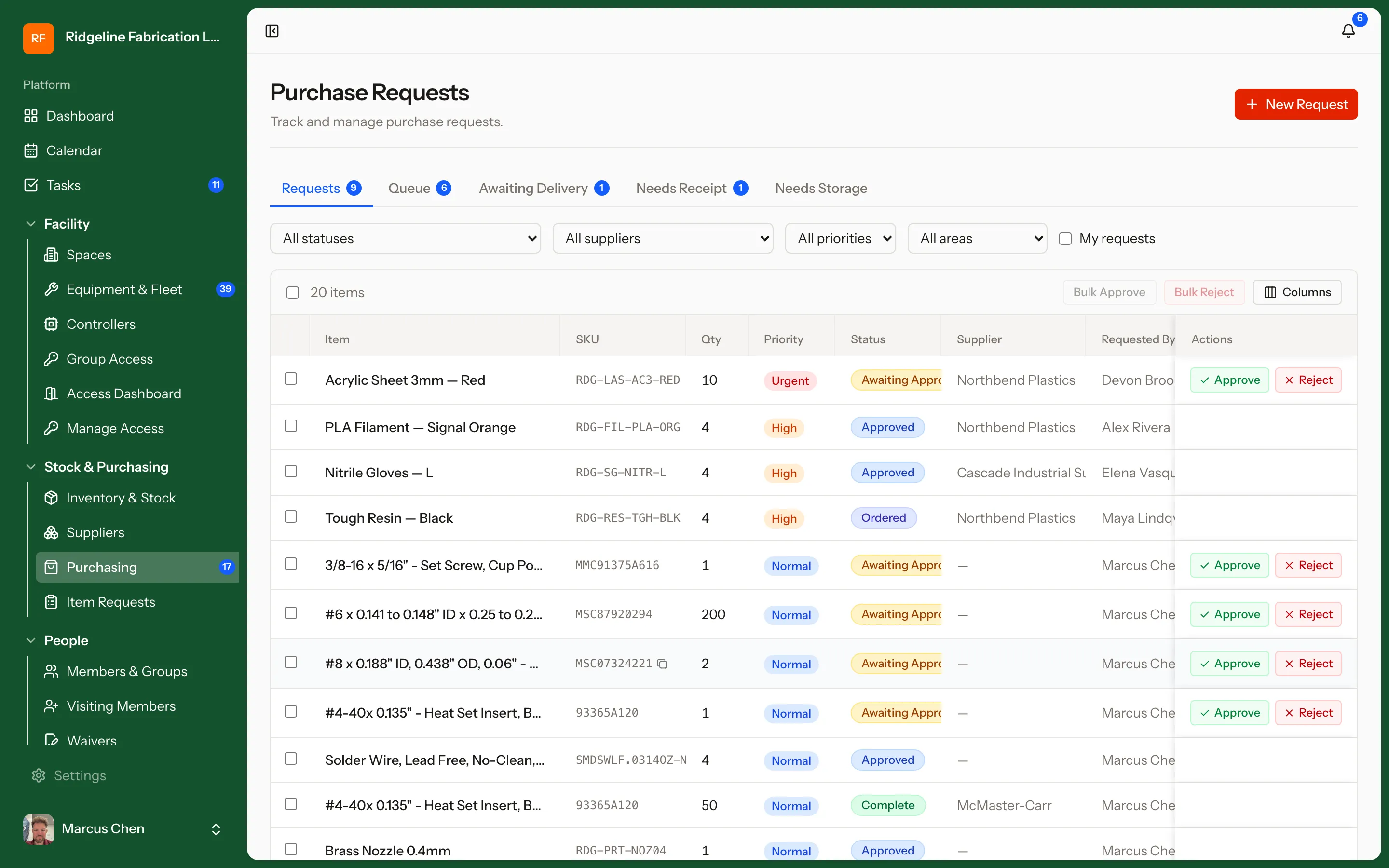
Approvals in MakerOps

Requests move, instead of piling up

Approvals

A structured workflow for the things that need a yes. Members and staff file purchase requests, approvers work one queue, and every approve or reject is logged — so requesters always know where things stand.

  • One clear approve / reject flow for purchase requests
  • Queues and notifications for approvers
  • Full audit trail on every decision
Suppliers in MakerOps

Vendors and part numbers in one place

Suppliers

Keep supplier records next to the inventory they feed. Contacts, websites, part numbers, and notes stay attached to the parts and materials you actually order.

  • Supplier directory with contact info, websites, and notes
  • Suppliers linked to the inventory items they feed
  • Part numbers carried straight onto purchase requests

The whole floor at a glance

Reporting & Dashboards

Live dashboards for daily operations: open tasks, maintenance coming due, the purchasing queue, and who is in the building right now. An audit log keeps a record of every change, and event signups export to CSV when you need the list.

  • Live dashboards: tasks, maintenance due, purchasing queue, occupancy
  • Audit log of every change, for accountability and compliance
  • Event-signup exports to CSV
demo.makerops.ai
Reporting & Dashboards in MakerOps

Built for procurement, not credit cards

Billing

Billing that fits how institutions actually buy: one organization plan with clear staff-seat, device, and storage limits, paid by purchase order and invoice. Usage against your plan is always visible, and internal spend runs through the purchase-request workflow — so there is a paper trail end to end.

  • Organization plans with transparent seat, device, and storage limits
  • Purchase order → invoice billing that fits institutional procurement
  • Plan usage visible at a glance, purchase requests documenting internal spend

Chapter three

What the world sees

The outward-facing half: a public catalog of your capabilities and event pages people can sign up for without an account.

Show the world what your space can make

Public Catalog & Events

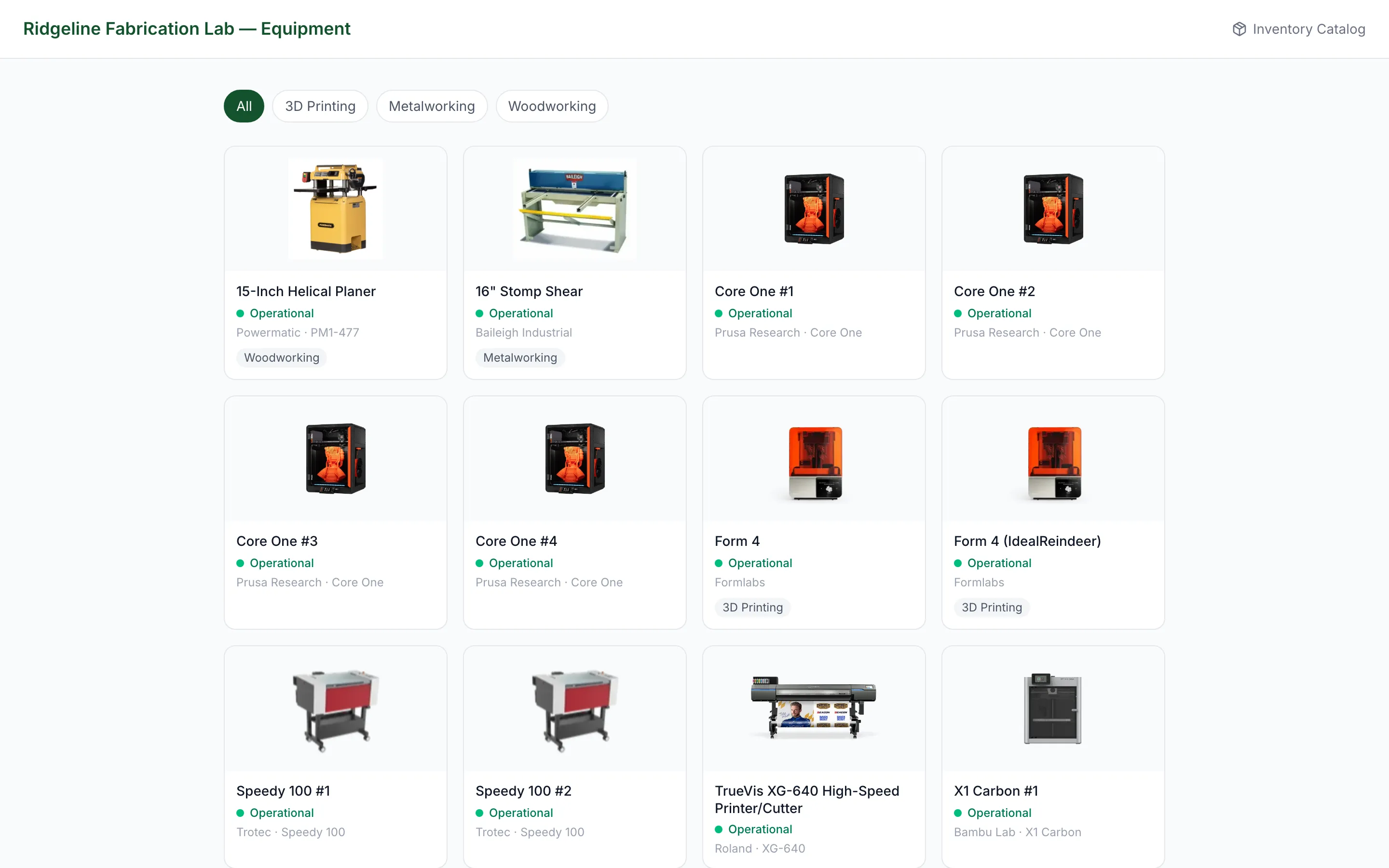
A public-facing catalog of your equipment and capabilities, plus public event pages people can actually sign up for. Prospective members browse what is on the floor before they ever walk in — and RSVP to open houses, classes, and training sessions without creating an account.

  • Public equipment and capability listings with specs and training requirements
  • Event pages with RSVP — no login needed — and SMS / email reminders
  • Signups link to member accounts, including training-session seats
demo.makerops.ai
Public Catalog & Events in MakerOps

Chapter four

What is on the floor

Every machine, every consumable, every room — modelled the way your space is actually laid out, so a question about a machine has one answer instead of five.

Every machine, its whole history

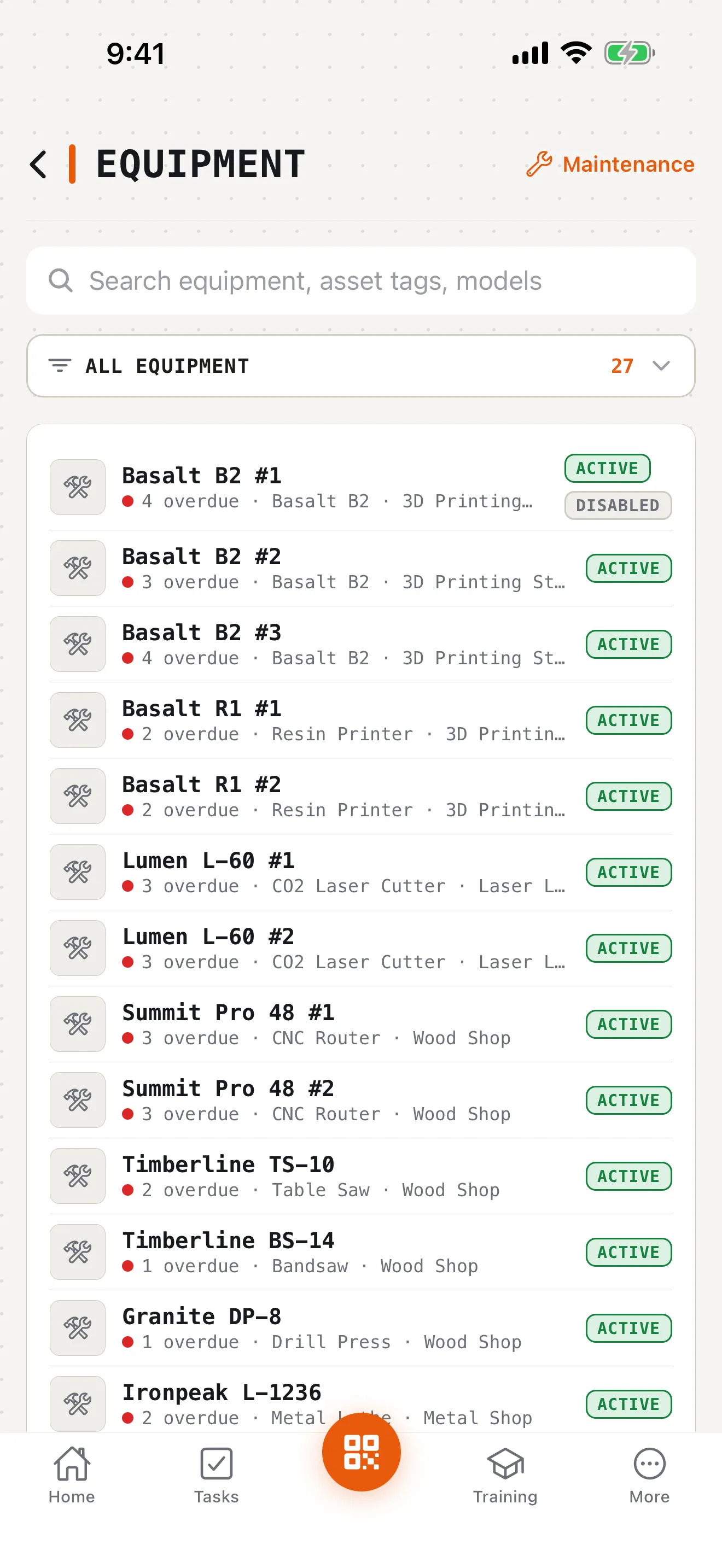
Equipment & Fleet Maintenance

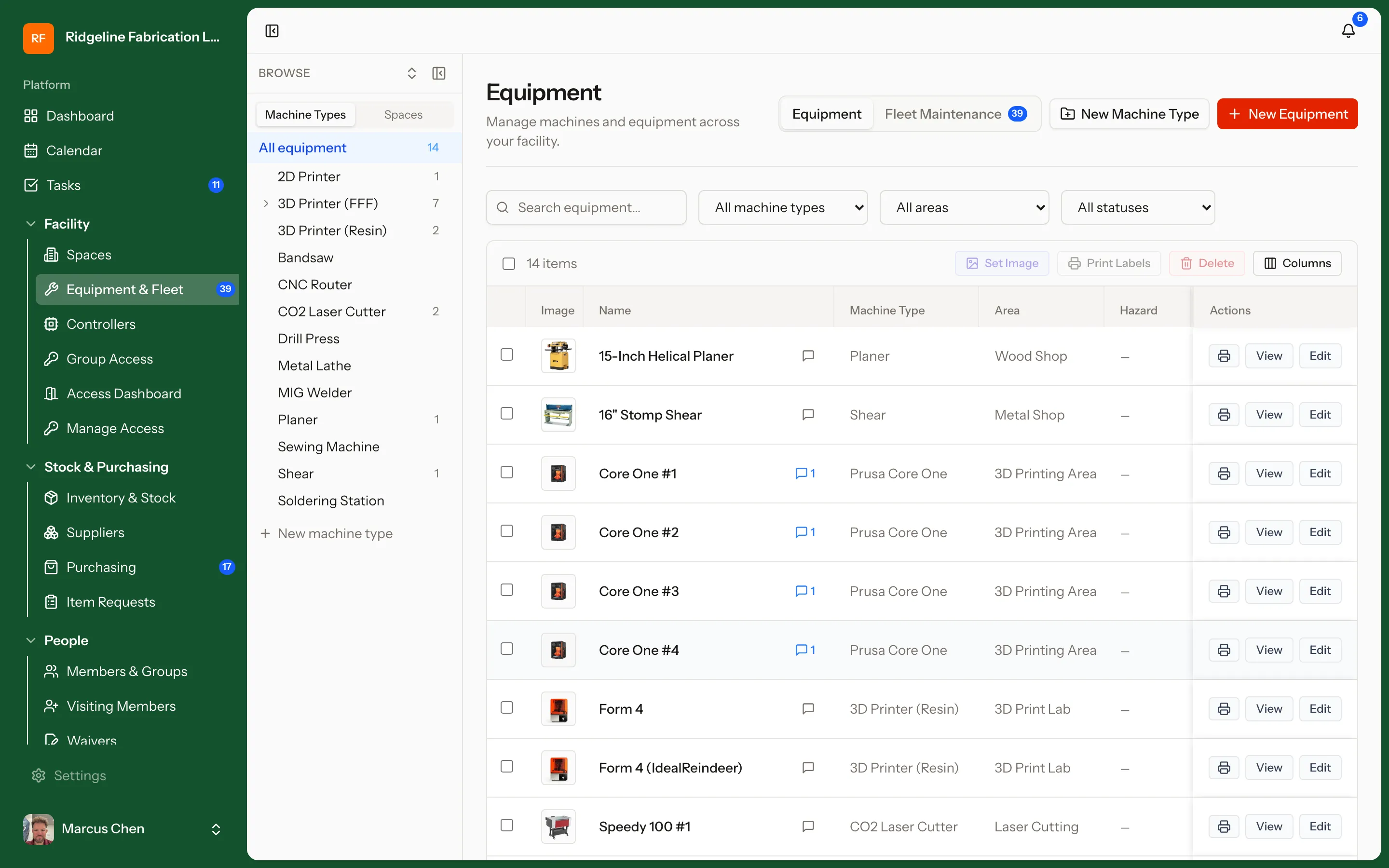
Track every asset on the floor — from a single laser cutter to a fleet of CNCs across buildings. Preventive maintenance schedules, service tickets, and downtime logs live on the machine record, so nothing depends on whoever happens to remember.

  • Preventive maintenance schedules with due-date tracking
  • Service tickets and full repair history per asset
  • Live status: available, in use, down for maintenance
demo.makerops.ai
Equipment & Fleet Maintenance in MakerOps

Know what you have before you need it

Inventory

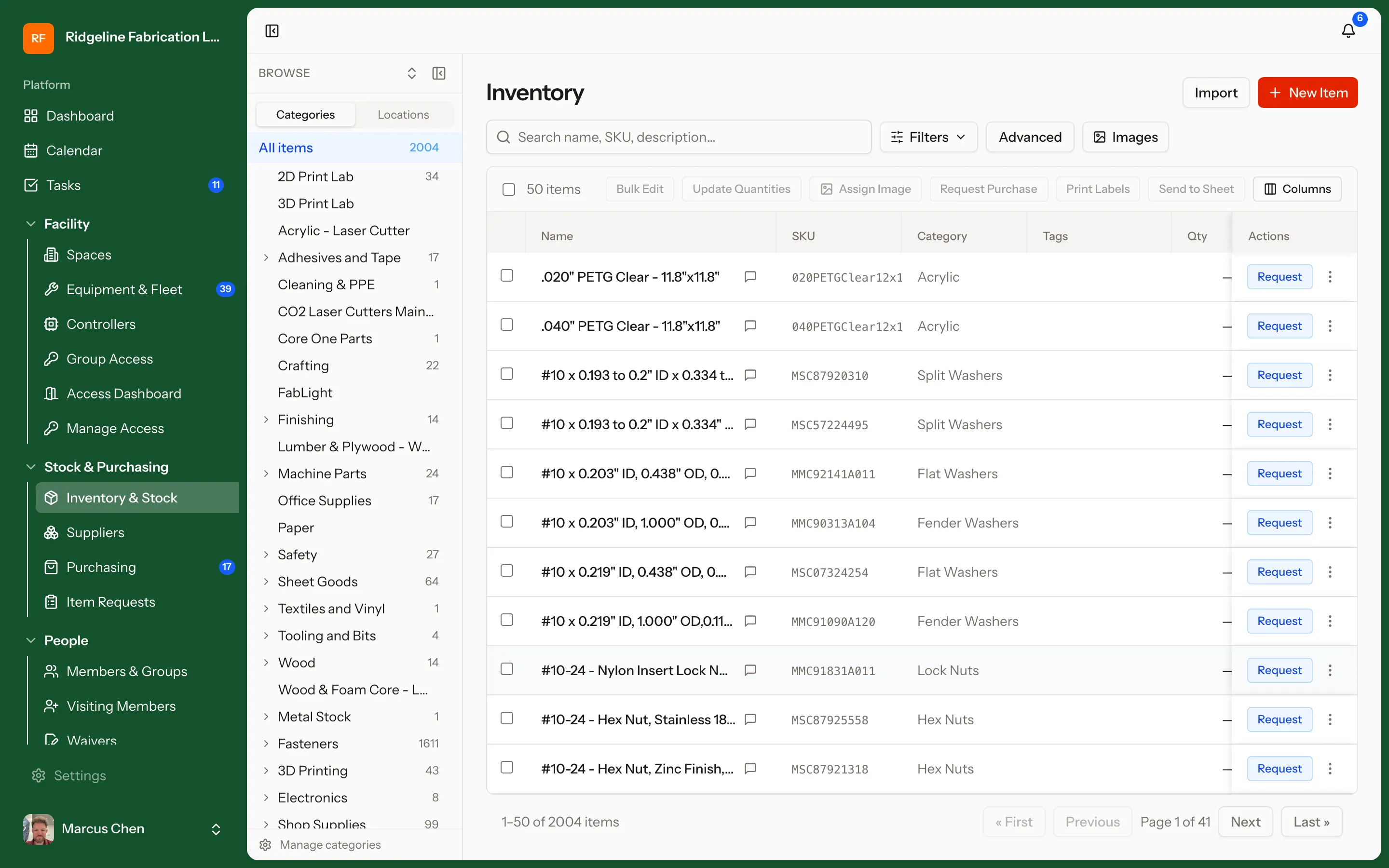
Consumables, stock, and materials tracked where they live, with usage guidance on the items themselves. Set reorder points so filament, bar stock, and safety supplies get flagged before they run out — and let members ask what to use for a job, answered only from what you actually stock.

  • Stock levels by location with reorder points and low-stock alerts
  • Usage guidance on common consumables, and "ask the shop" — a member describes the job and gets a pick from your shelves
  • Materials tied to equipment, jobs, and billing
demo.makerops.ai
Inventory in MakerOps

Scan the tool, scan the badge, set a due date

Tool & Item Loans

Hand tools, meters, kits, and consumable stock that leave the building get a custody record instead of a sticky note. Staff scan the tool's QR or NFC tag and the member's badge in the app, set a due date, and the loan is live; each asset carries its own policy — not loanable, staff checkout only, or self-serve. The front desk sees who has what and what is overdue from one page.

  • Per-asset loan policy: staff checkout or self-serve, with a maximum loan length
  • Equipment goes out by the unit; inventory items go out by quantity against stock
  • Accessories checklist, condition notes, and photos at checkout and return
  • The borrower acknowledges the loan with a drawn signature in the app
  • Due-tomorrow and overdue reminders; an overdue borrower cannot take another loan, and each member has an active-loan cap
  • Write NFC tags from the app — the same tag the phone reads at the desk

One system, every room and site

Locations

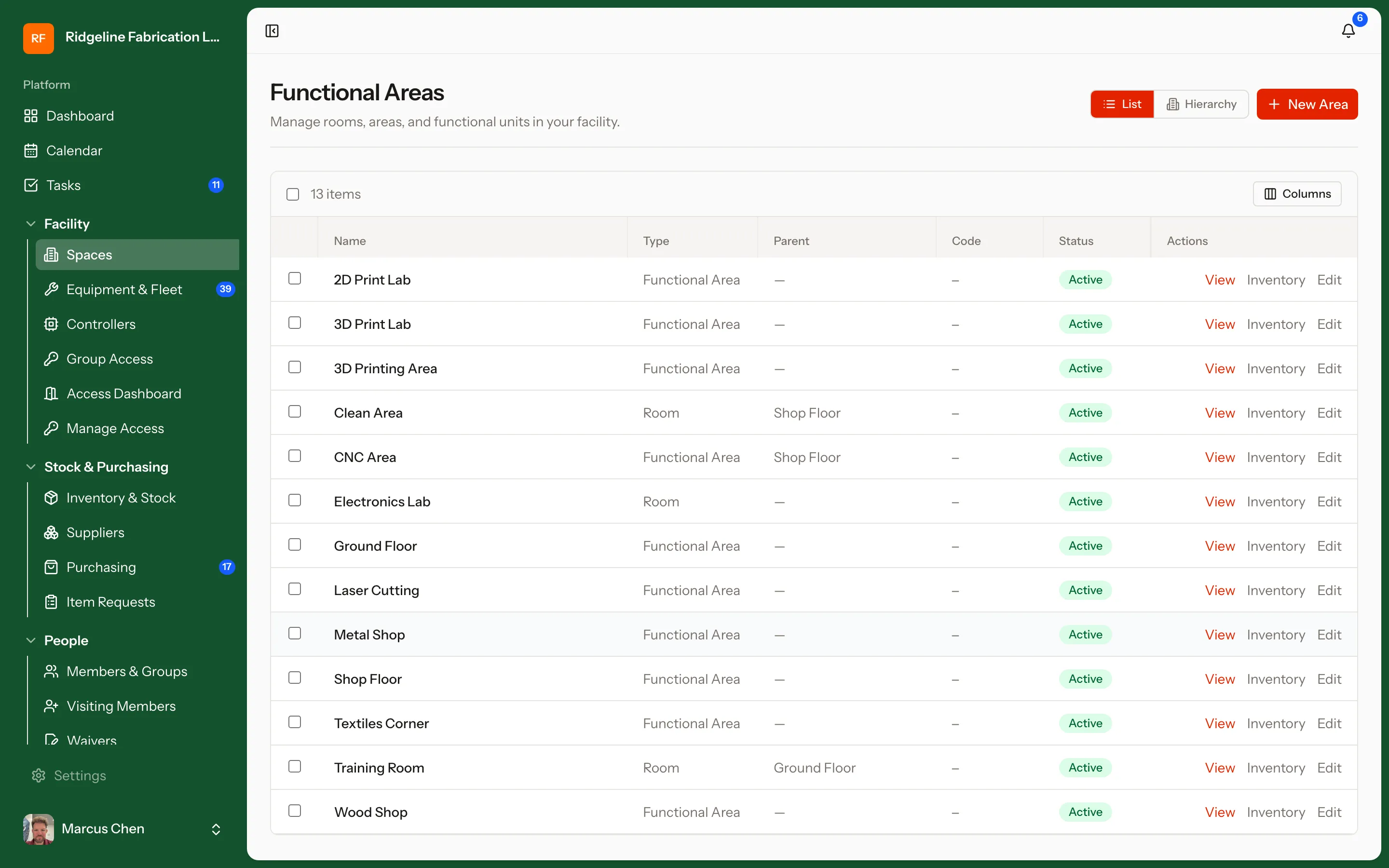
Model your real footprint — buildings, rooms, zones, satellite shops. Equipment, inventory, and access rules are all location-aware, so a multi-site operation runs from one place instead of five spreadsheets.

  • Hierarchical locations: site, building, room, zone
  • Per-location equipment and inventory views
  • Location-scoped access and scheduling rules
demo.makerops.ai
Locations in MakerOps

Open by default

It has to live with what you already run

No campus replaces everything at once. MakerOps is built to sit inside an existing stack — a documented REST API, campus single sign-on, outbound webhooks, and connectors for the on-prem hardware that will never speak to the internet.

Want to see a specific module in depth?

Tell us what your space runs on and we will build the demo around it — equipment fleet, training pipeline, billing model, all of it.