
Fab labs & innovation centers
Fab lab management software
A fab lab lives or dies on whether the machines work and whether the right people can use them. Everything else is bookkeeping in service of those two facts.
What this kind of space actually runs into
Machines go down and nobody knows the history
When the same printer fails a third time, the useful question is what was done the last two times. Preventive schedules, service tickets, and repair history live on the machine record, and repeated failures get flagged automatically rather than being noticed eventually.
A fleet of identical machines multiplies the work
Eight printers of the same model means the same maintenance task eight times. Schedules attach to the equipment type and apply to every unit, and a fleet sweep completes the same check across all of them in one pass.
Certification tracking lives in a spreadsheet
Who is checked out on the CNC becomes an unanswerable question at exactly the wrong moment. Credentials sit on the member record, gate machine access directly, and expire on schedule.
Visitors and prospective members cannot see what you have
A public catalog lists your equipment and capabilities with specs and training requirements, and public event pages take RSVPs without an account — so outreach does not depend on maintaining a second website.
Where to start
The modules that carry the most weight here
Every plan includes the whole platform, but these are the ones this kind of space tends to lean on first.

Equipment & Fleet Maintenance
Track one laser cutter or a row of twelve 3D printers. Preventive maintenance schedules, service tickets and downtime logs live on the machine record. When the belt on printer 7 was last replaced is written down, so nobody has to remember it.

Machine Access Control
A controller on the machine itself. Members scan a session QR code at the machine to start. Staff can switch any machine on or off remotely, and an instructor can open a bank of machines for a class. Controllers report their health and take firmware updates over the air. If the network drops, the machine fails safe.

Inventory
Stock and materials tracked on the shelf where they sit, with usage notes on the items themselves. Set reorder points so filament, bar stock and safety glasses get flagged before they run out. Members can describe a job and get a pick from what you actually stock.

Public Catalog & Events
A public page listing your machines, what they can do and the training each one needs. Visitors see the floor before they walk in. Event pages let anyone sign up for an open house, a class or a training session without an account.

Tools for the people who run the space
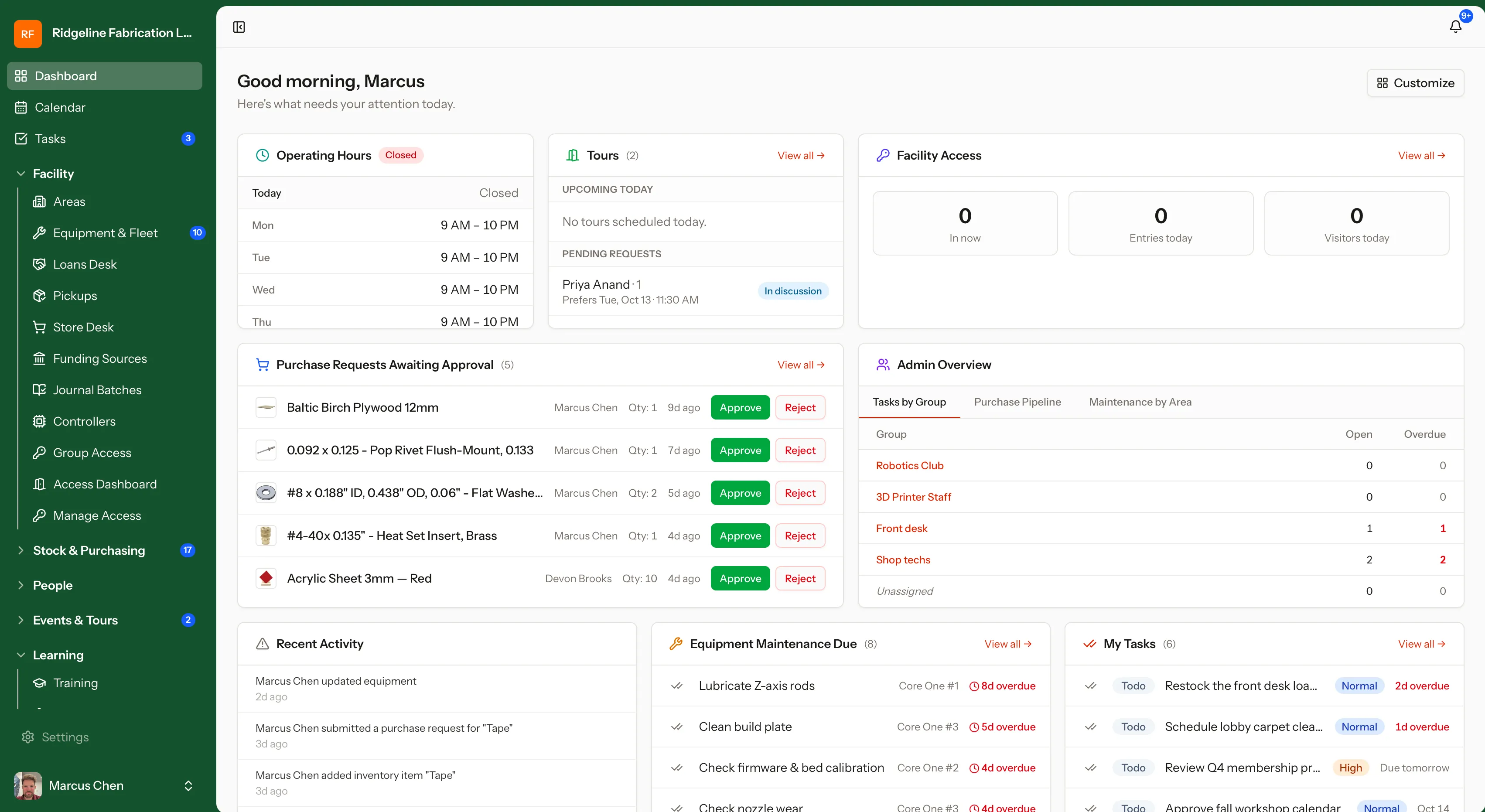
Build employee schedules and manage shift swaps. Schedule tours, loan out tools, and manage maintenance. Track funding sources, sell products at the counter, and more — one system for the whole operation, not a separate tool for each job.
One system, whatever mix of machines you run
Equipment types are yours to define, from a two-level category and model hierarchy down to individual units with their own asset tags, manuals, and service history. Nothing assumes a particular kind of shop.
See it on a working shop
Start a free workspace with sample machines, courses and inventory already in it, or book a 30-minute demo.